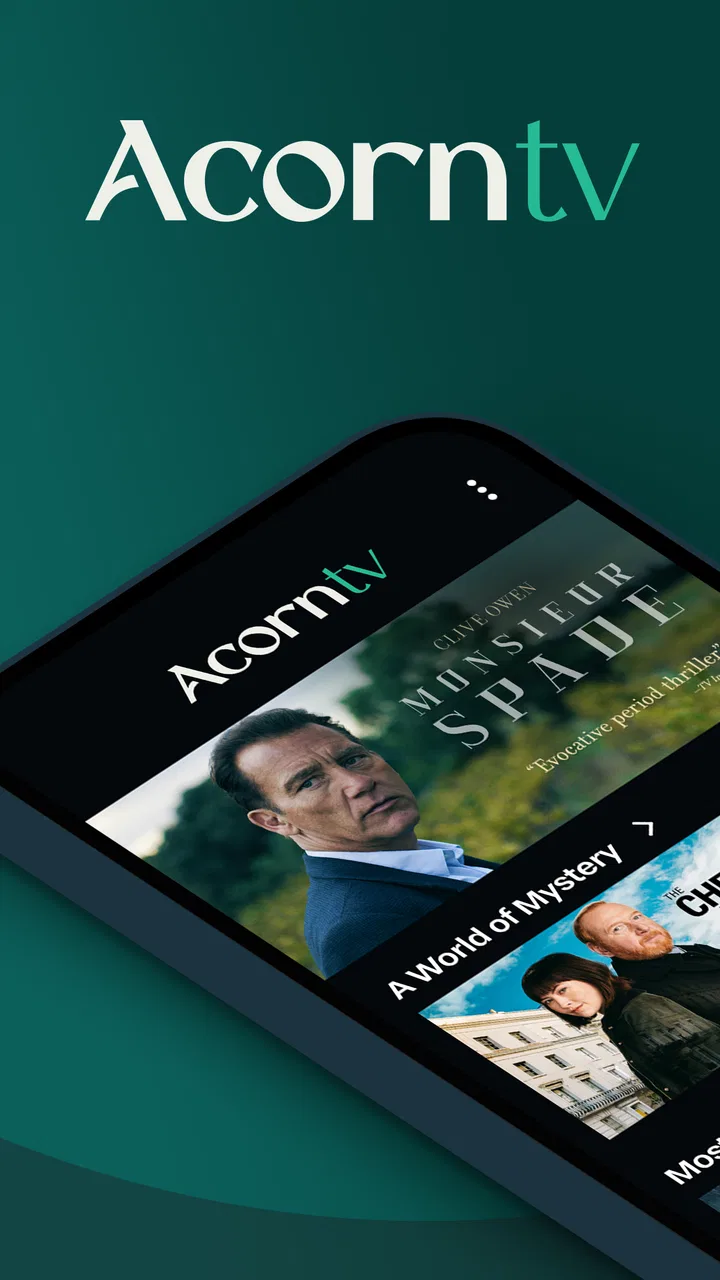
Acorn TV: Brilliant Mysteries
- 4.1
- Rating
- 1.00M
- Installs
- Free
- Price

 Analysis by App-foxy
I spent time with Acorn TV: Brilliant Mysteries as an entertainment app, paying particular attention to what happens when the quality of your connection changes. The basic appeal is easy to understand: it brings crime, drama, and comedy series into one streaming destination, with a focus that feels more curated than a general-purpose video service. I found it most interesting not simply because of its catalogue, but because the quality of the experience depends so closely on where, when, and how I watched.
Developed by RLJ Entertainment, the app is free to install and aimed at Teen audiences. That free entry point makes it simple to explore, although the viewing experience can involve in-app purchases ranging from $5.99 to $99.99 per item. I would therefore treat the installation as an invitation to investigate rather than assume that every programme is available without an additional commitment.
How Acorn TV feels when the connection is doing the work
When my connection was stable, the app’s strongest quality was its sense of purpose. Instead of opening into an enormous mixture of unrelated videos, it directs attention toward mystery-led entertainment, serious drama, and lighter comedy. That focus helped me choose something quickly, especially when I wanted a proper episode rather than a short clip or an endless stream of recommendations.
You May Also Like
 Google Keep - Notes and lists
Google Keep’s Quiet Growth Shows the Appeal of Simpler Notes
As mobile work gets busier, Google Keep keeps winning a simple contest: capture a thought quickly, find it later, and get on with the day.

 Blood Strike: 2.5 Anniversary
Blood Strike’s Loadouts Turn Every Drop Into a Tactical Gamble
A close look at Blood Strike’s custom loadouts: how fast access to signature weapons reshapes its battle royale rhythm, rewards preparation, and narrows the gap between fights.

 Pandora - Music & Podcasts
Pandora’s Music Is Easy to Start, but Harder to Recover
Pandora’s strength is its low-effort path from a seed to a station. Its weak spot is how much confidence it asks you to place in connection, setup, and quiet recovery.

 8 Ball Pool
8 Ball Pool Is Built on Rivalries, Rematches, and Routine
A close look at the rivalries, rematches, shared routines, and unanswered safety questions that turn a quick pool match into a persistent mobile community.

 Samsung Music
Samsung Music’s Quiet Strength Is Playing What You Already Own
Its reach comes less from spectacle than from dependable access to a personal library. That simplicity is both the app’s strongest retention engine and its ceiling.

 AccuWeather: Weather Radar
AccuWeather Review: A Quick, Clear Forecast for Everyday Decisions
For everyday plans, the best forecast is the one you can understand quickly. AccuWeather makes rain timing, radar, and local conditions easy to act on, with a few trade-offs.
More From Our News Desk



The network is not just a background requirement here; it shapes the entire rhythm of watching. A reliable connection makes the service feel calm and straightforward. I could settle into an episode without thinking about the technology, which is exactly what I want from a streaming app. A weak or changing connection, however, turns the experience into a series of small interruptions: waiting for content to begin, adjusting expectations about picture quality, or deciding whether it is worth continuing at that moment.
This is the first practical trade-off to understand. Acorn TV: Brilliant Mysteries suits viewers who normally watch where their internet connection is dependable. It is less attractive for someone whose main viewing happens in places with unpredictable reception. The app’s subject focus may be appealing, but a well-chosen catalogue cannot compensate for a stream that repeatedly loses momentum.
I also noticed that connectivity affects how much planning is sensible. With a general television service, I might browse casually and leave a programme playing in the background. Here, I preferred to choose an episode before settling down, particularly when I knew I was using mobile data. That small change reduced wasted browsing and made the actual viewing session feel more deliberate.
Why the catalogue focus matters more on a phone
On a mobile device, a tightly defined entertainment identity is more useful than it may sound. Small screens are not ideal for leisurely comparing dozens of services, and I appreciated having a clearer idea of what kind of mood the app serves. If I wanted a mystery, a crime story, or a drama with a more traditional television feel, I could begin in the right place instead of searching through a broad general catalogue.
That focus also creates a limitation. If your viewing habits jump constantly between blockbuster films, live sports, children’s programming, reality shows, and every possible genre, this app is unlikely to replace a broad streaming subscription. I would use it as a specialist option, not as a universal entertainment library. Its value depends on whether its particular mix matches what you actually watch.
The app’s average rating is 4.1 from around 7,200 ratings, which suggests that many users find the overall proposition worthwhile while still leaving room for individual frustrations. I read that as a useful middle ground rather than a guarantee. Streaming satisfaction is especially personal: one viewer may care about the crime selection, while another may judge the app almost entirely by how smoothly it works on a particular network.
Using it during ordinary mobile routines
I think the most realistic use case is not an elaborate home-theatre session but a quiet break in an ordinary day. Imagine finishing dinner, sitting on the sofa with a phone or tablet, and wanting one episode without spending twenty minutes deciding what to watch. The app’s entertainment focus helps in that situation, provided the home connection is steady enough to support uninterrupted viewing.
It can also fit a short waiting period, although I would be cautious about beginning a long episode when I know I may have to move between Wi-Fi and mobile reception. A train journey, a waiting room, or a hotel room can all sound ideal for streaming, but the practical experience depends on signal quality and the amount of data available on your plan. I would not start a viewing session in those situations without first considering whether the connection is likely to remain consistent.
A useful habit is to separate browsing from watching. I would browse while connected to a trusted Wi-Fi network, decide what I want, and then start the episode only when I have enough time to watch without repeatedly switching networks. This is not a glamorous feature, but it is one of the easiest ways to make a connection-dependent service feel less frustrating.
The app is available for devices running Android 5.0 or later, which gives it a broad technical reach among older Android hardware. That does not mean every older phone will provide the same viewing comfort. Screen size, battery condition, storage pressure, and the strength of the device’s wireless connection can all matter. On a small or aging phone, I would see the app as convenient for occasional viewing rather than automatically ideal for long sessions.
What happens when streaming goes wrong
The most important test for any streaming app is not the perfect session; it is the awkward one. I found that connectivity problems change the emotional tone quickly. A brief pause is usually tolerable, but repeated interruptions make a mystery particularly difficult to follow because tension depends on continuity. Missing a few seconds of dialogue can matter more than it would in a casual comedy clip.
My practical response is to stop trying to force the session when the connection is clearly unstable. I would close other network-heavy activities, move closer to the router if I am at home, or wait until the signal improves. Repeatedly restarting the same stream can waste time and data without solving the underlying problem. The better workflow is to identify whether the issue is the app, the device, or the network before trying again.
This is also where expectations should remain realistic. I would not choose this app as my main entertainment plan for a location where connectivity regularly fails. A downloaded programme from a service that explicitly supports offline viewing would be a better fit for flights, underground travel, remote areas, or a limited mobile plan. Acorn TV’s appeal is strongest when I can treat the connection as dependable rather than something I must constantly manage.
When a session does recover, I prefer to return to the exact episode and confirm that playback has genuinely resumed before putting the phone down. That sounds obvious, but it prevents the common annoyance of assuming a programme is playing while the app is still waiting or has stopped. On a mobile device, I would also keep an eye on battery level because trying to recover from interruptions can extend the time the screen remains active.
Making mobile data last longer
Watching a full episode over mobile data can consume a meaningful part of a plan, so I would use the app selectively away from Wi-Fi. My approach is simple: browse briefly, choose one programme, and avoid leaving the app open while I decide. I would also avoid starting a stream merely to sample several shows when I am not sure what I want. That kind of casual testing is better saved for a Wi-Fi connection.
Another useful trade-off is choosing the right device for the situation. A phone is convenient when I am alone and moving around, but a tablet can make a longer session more comfortable without requiring the distractions of a television. On the other hand, a larger screen may encourage longer viewing, which matters if I am watching through mobile data rather than a home network. Convenience can quietly become higher consumption.
I would also plan around the app’s free installation rather than confuse it with completely free viewing. Since in-app purchases range from $5.99 to $99.99 per item, I would check the purchase terms shown in the app before committing to a viewing plan. This is especially important for families sharing a device or payment method. The Teen content rating is another reason I would not hand the app to a younger child without checking what they are about to watch.
There is a subtle advantage to this more careful approach: it makes the service feel more like a selected television library and less like background noise. I chose programmes with intention, watched them when the network was ready, and avoided spending data on aimless browsing. For viewers who enjoy crime and drama, that can be a better habit than constantly jumping between unrelated platforms.
Who will appreciate the focused experience
I would recommend Acorn TV: Brilliant Mysteries to someone who regularly looks for crime, mystery, drama, and comedy series and prefers a dedicated destination over a general streaming catalogue. It is particularly suitable for a viewer who watches at home, has a stable connection, and likes the idea of choosing from a narrower entertainment identity. The app’s one-million-plus installs also show that it has reached a substantial audience, although popularity alone should not decide whether it suits your habits.
I would be more cautious about recommending it to someone who mainly watches offline, travels through areas with poor reception, or wants one subscription to cover every type of video. I would also hesitate if the viewer is highly sensitive to any purchase prompts or expects the free installation to provide unrestricted access. In those cases, another service with clearer offline planning or a broader catalogue may be the better everyday choice.
Compared with a large general streaming platform, this app’s advantage is concentration. You are less likely to open it looking for one genre and end up overwhelmed by unrelated choices. The disadvantage is breadth: the same focus that helps a mystery fan can feel restrictive to a household with widely different tastes. Compared with free ad-supported video services, it offers a more intentional viewing environment, but the possible in-app costs mean I would not judge it solely by the word “free.”
Version, support expectations, and everyday fit
The current version is 5.0.28.1, and the minimum Android requirement is 5.0. I would still keep the app updated when possible, especially for a streaming service where playback behavior can depend on the relationship between the app, the operating system, and the network. On older hardware, I would test a short session before planning a long evening around it.
RLJ Entertainment gives the app a clear identity rather than making it feel like an anonymous video player. In practice, though, the developer name matters less than the combination of catalogue interest and reliable playback. If the content does not match your taste, a polished connection will not change that. If the content is exactly what you want, even a simple interface can be enough, provided the stream remains steady.
One question I would ask before installing is whether I usually watch at a fixed location or while moving. Home viewers with dependable Wi-Fi are the natural audience. Mobile-first viewers should think more carefully about data use, battery life, and the risk of changing networks mid-episode. Another question is whether I want a specialist service or a single app for the whole household. The answer determines whether Acorn TV feels focused or limited.
My connectivity verdict
After using it with connectivity in mind, I see Acorn TV as a focused entertainment app whose success depends on matching the right viewer with the right viewing conditions. It is not merely a matter of finding a good mystery; the best experience comes from watching in a place where the connection can stay out of the way. When that happens, the app’s genre focus makes choosing a programme pleasantly direct.
The friction is equally clear. Unstable reception can damage the pacing of crime and drama, mobile data requires restraint, and the free installation should not be mistaken for a promise that every viewing option is included without additional cost. I would prepare by choosing content on Wi-Fi, checking purchase details, and avoiding it as my primary travel solution unless I already know the connection will hold.
My final recommendation is therefore specific: install it if you want a dedicated home for mystery, crime, drama, and comedy series and normally stream through reliable internet. Skip it, or pair it with a service designed for offline viewing, if your main routine involves weak networks or strict data limits. For the right viewer, the focused catalogue is the reason to stay; for everyone else, connectivity and range may make a broader alternative more practical.
FAQs for Acorn TV: Brilliant Mysteries
01What is Acorn TV: Brilliant Mysteries?
Acorn TV: Brilliant Mysteries is a streaming service focused on mystery, crime, detective, and drama productions, especially shows from the United Kingdom, Ireland, Australia, New Zealand, and other international markets. Its catalog includes series, films, and exclusive premieres. The app is designed for viewers who prefer carefully selected mysteries and character-driven investigations rather than a broad general-entertainment library.
02Is Acorn TV: Brilliant Mysteries free to download and use?
The app can generally be downloaded at no cost, but watching most of its content requires an Acorn TV subscription or an eligible free trial. Pricing, trial availability, and subscription options may vary depending on your country, device, and whether you subscribe through the app store or directly through Acorn TV. Check the current terms before confirming payment, especially for automatic renewal details.
03What devices and platforms support Acorn TV: Brilliant Mysteries?
Acorn TV is available on compatible Android and iOS devices, and it may also support selected smart TVs, streaming media players, web browsers, and other platforms depending on your region. Device compatibility can change as operating systems are updated. Before downloading, verify that your phone or tablet meets the required operating-system version and that the service is officially available in your country.
04Can I download Acorn TV shows for offline viewing?
Offline viewing may be available for selected Acorn TV titles and supported mobile devices, although not every program is necessarily downloadable. When the feature is offered, you usually need an active subscription and sufficient storage space on your device. Downloaded episodes can also have expiration or licensing restrictions, so it is best to check the title’s options before traveling or watching without an internet connection.
05Does Acorn TV: Brilliant Mysteries include subtitles and parental controls?
Many Acorn TV programs offer subtitles or closed captions, but language availability can differ by title and region. The app may also provide profile, viewing, or account-management features, while parental-control options can depend on the platform and local service settings. Families should review the available controls before sharing an account, since mystery programs may include crime scenes, violence, or mature themes.
Pros
- Strong selection of British and international mystery series
- Ad-free viewing keeps episodes uninterrupted
- New titles and episodes are added regularly
- Supports offline downloads for watching while traveling
- Clean interface makes browsing genres and shows easy
Cons
- Most content requires a paid subscription after the trial
- Availability of titles varies by country and region
- Some shows have limited seasons or incomplete collections
- Video quality depends heavily on your internet connection
- Subtitle and audio options are not consistent across all titles

Acorn TV: Brilliant Mysteries
Gallery